Increasing teacher efficacy with AI-powered lesson recommendations.
Teacher Assistant (Nova) Case Study — LLM-Powered Workflow Automation, Conversational UX, Prompt Engineering, and 0→1 AI Product Design Leadership by Thom van der Doef
I led design and discovery for an AI-powered assistant helping teachers align eSpark activities with core curriculum requirements, transforming lesson planning from a weekly stress point into an efficient, intentional process.
Company • eSpark Learning
Role • Lead Product Designer
Duration • 8 Months concept to launch
Team • PM, Product Designer, 2 Devs, 2 Content
Problem: Staying relevant in a post-COVID market
In 2024 I led a series of teachers and administrators interviews that uncovered 2 major new insights:
After Covid, school administrators moved away from independent, adaptive programs like eSpark. They wanted their teachers to use the program with more “intentionality”.
Teachers were increasingly overwhelmed and frustrated by the demands of their Core Curriculum
How can we use eSpark’s data and curriculum to actively assist teachers with Core instruction?
“Are they going back to the eSpark data to guide instruction? Not really — they’re just using it as independent work.”
“I’m booked full and overwhelmed with the amount of stuff I need to get through”
Introducing Nova, AI-powered lesson recommendations
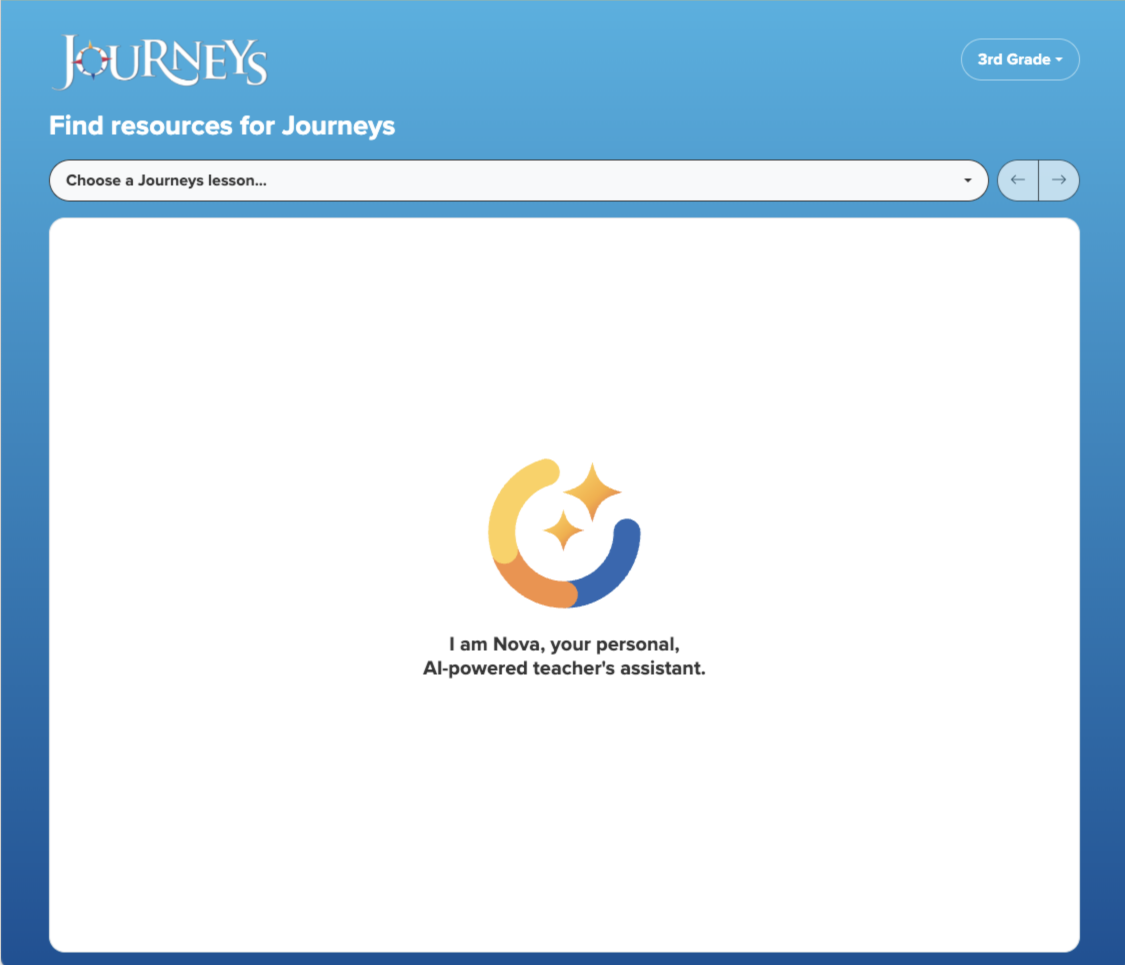
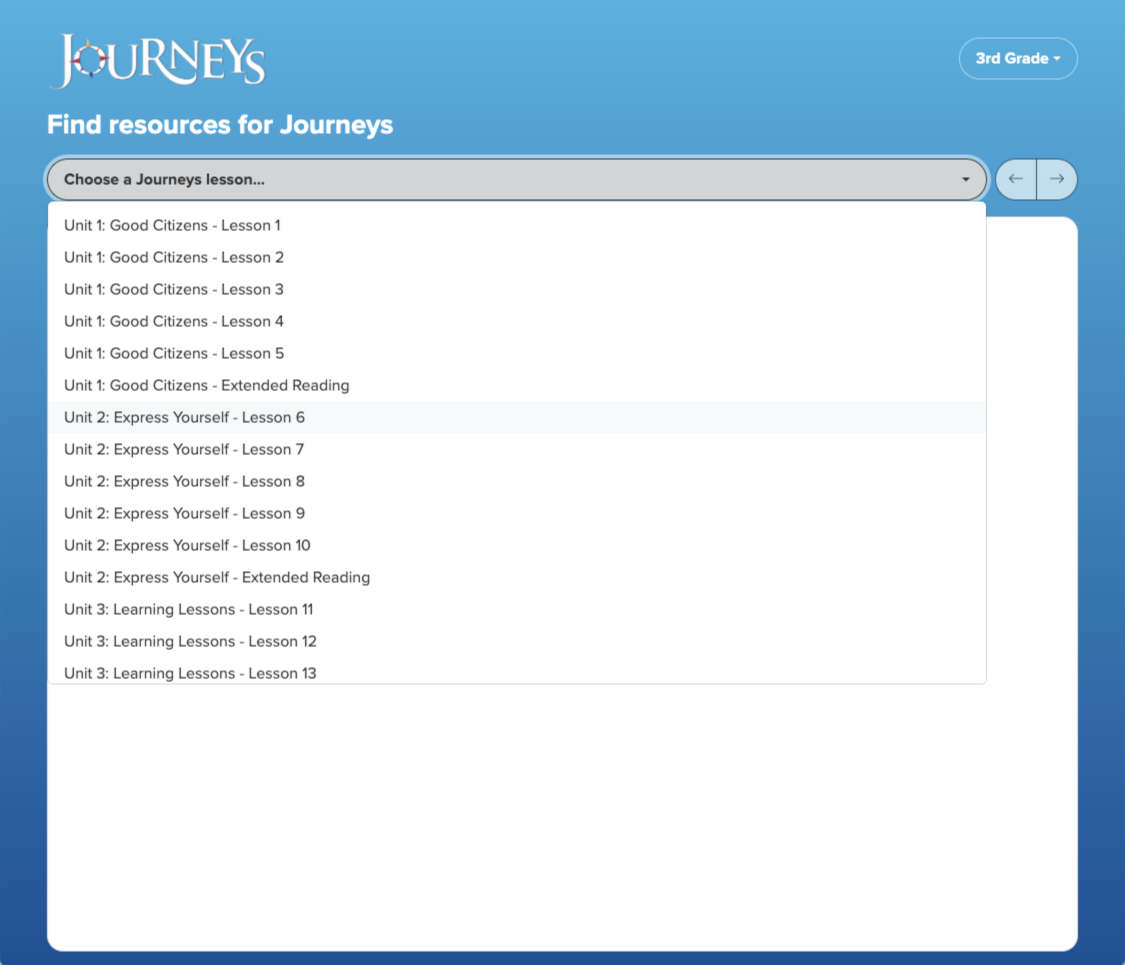
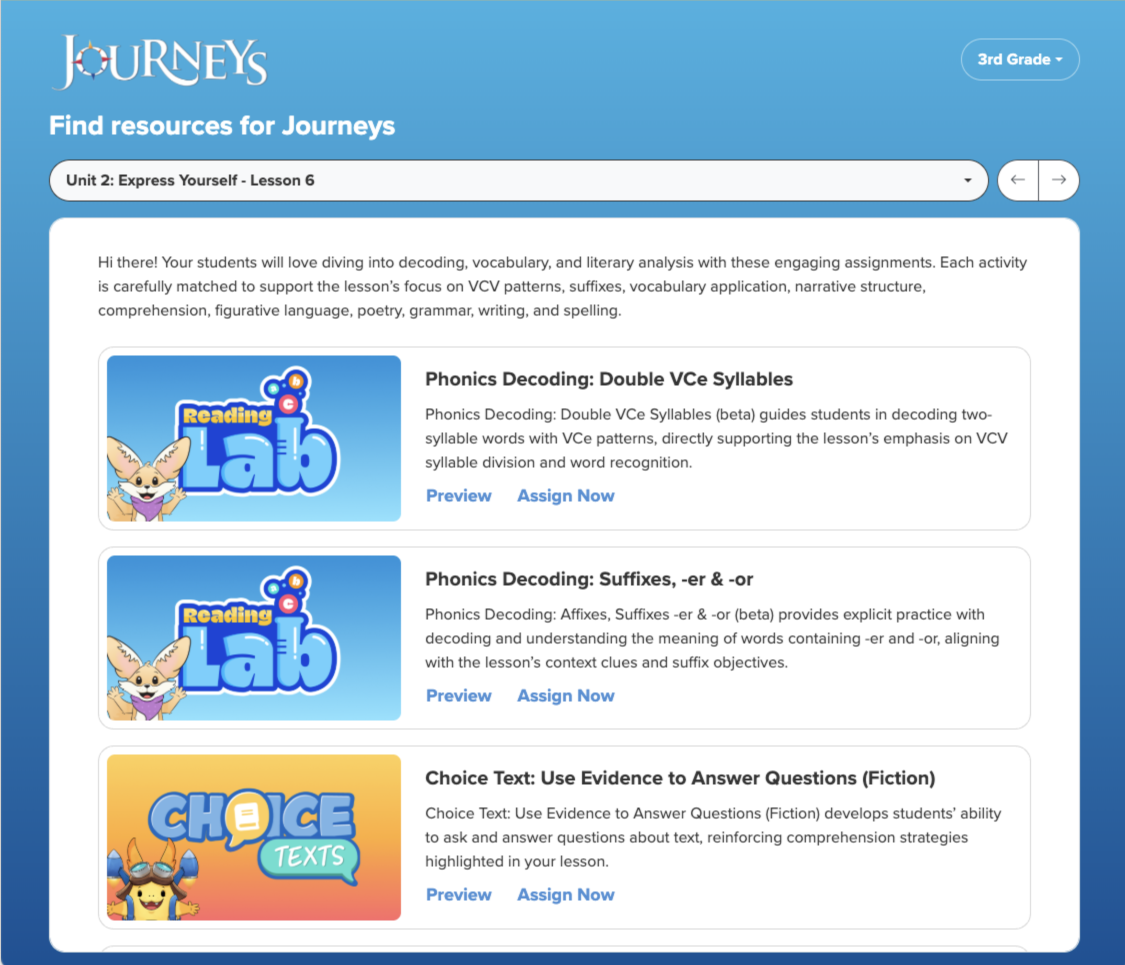
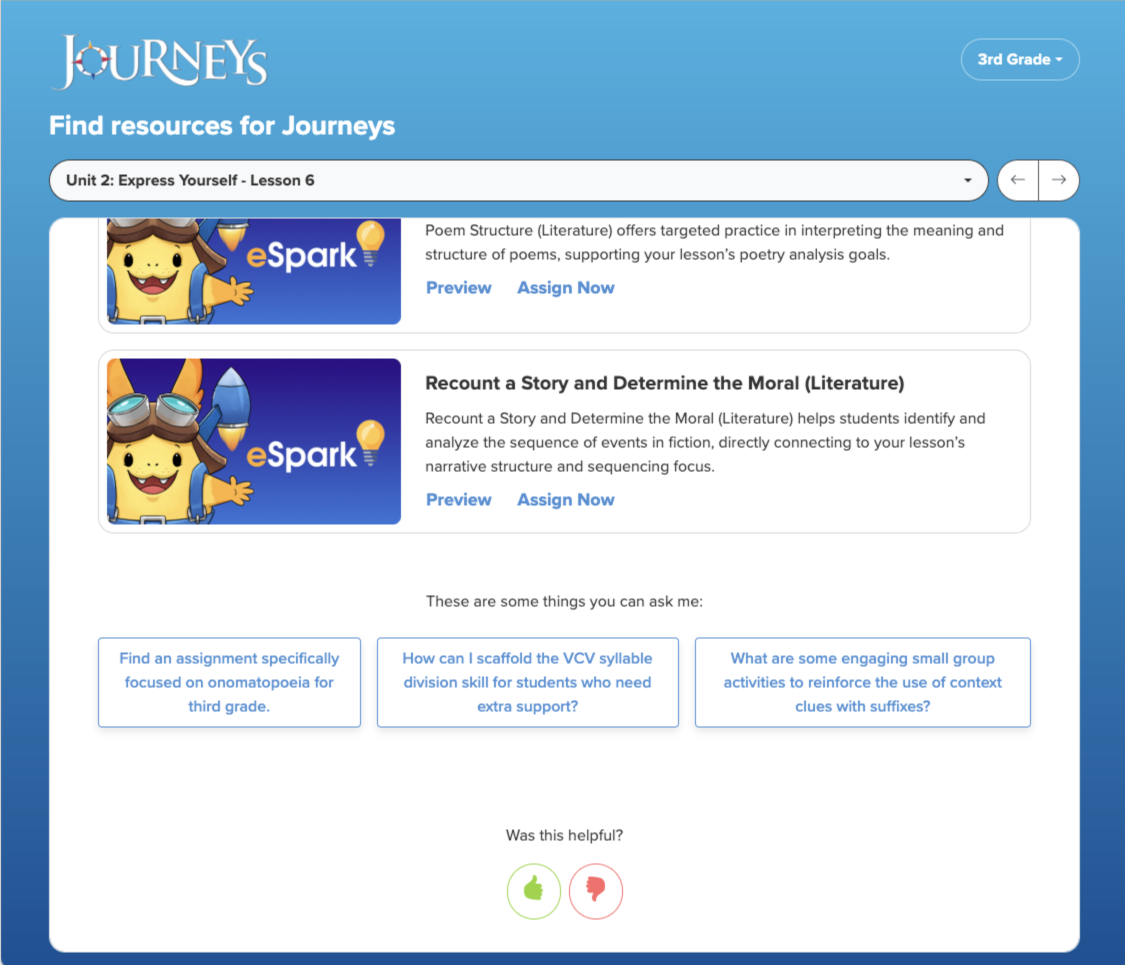
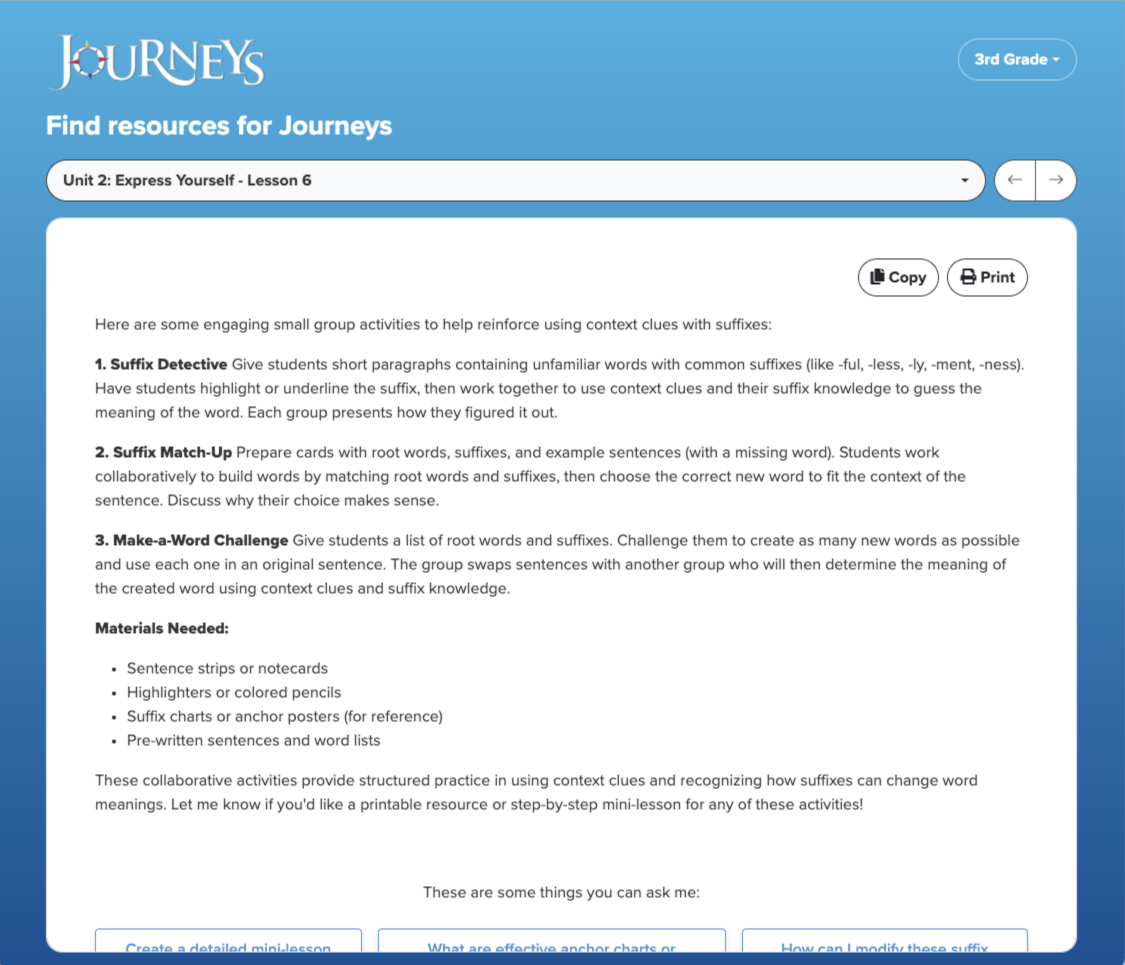
We built Nova, a teacher assistant that suggests eSpark Assignments, advice, and teaching strategies that align with a teachers’ Core Curriculum lesson.
Nova has transformed how teachers use eSpark: it increased Assignments usage by 300%, and aligned eSpark’s content to hundreds of popular curricula.
+300%
Assignments MAU
+100%
Assignment Conversion
150+
Aligned Curricula
How did we get here?
How I Designed eSpark’s Teacher Assistant
As a product designer, my job is to keep the team moving—clarifying the problem, reducing ambiguity, and creating just enough structure for fast progress. Building an AI-powered Teacher Assistant from scratch with limited resources meant leaning heavily on discovery, improvisation, and rapid iteration, rather than a traditional, linear UX process.
- No clear use case for a teacher assistant
- Leadership unsure where value would come from
- Team needed alignment before building anything
- Interviewed teachers + admins to map pain points
- Ran workshops to align on opportunity areas
- Built a vision prototype to test the concept
- Clear product direction
- Leadership green-lit a 3-month prototype sprint
- Team aligned around “curriculum support” as the core value
- Hard for teachers to articulate assistant capabilities
- Needed a fast way to learn what resonated
- Needed UI patterns that supported varied LLM outputs
- Designed a simple, scalable Bootstrap prototype
- Created a flexible UI framework for structured + unstructured LLM responses
- Ran rapid concept tests to tighten functionality
- Prototype shipped at scale within weeks
- Real usage patterns guided the final product
- Designers + devs shared a common interaction language
- Teachers loved alignment to curriculum
- Open-text inputs caused confusion
- LLM quality was inconsistent
- Simplified flows to reduce cognitive load
- Took on prompt engineering + LLM QA
- Co-created a lightweight eval system with devs
- ~60% weekly teacher usage within 3 months
- Higher-quality AI outputs
- Faster iteration cycles across the product team
Laying the groundwork for an AI Teacher Assistant
Getting leadership buy-in with a vision prototype
To secure buy-in from leadership I created an interactive “vision” prototype that showed a variety of ways a Teacher Assistant could align our content better to district goals.
The board gave us 3 months to build a working prototype at scale.
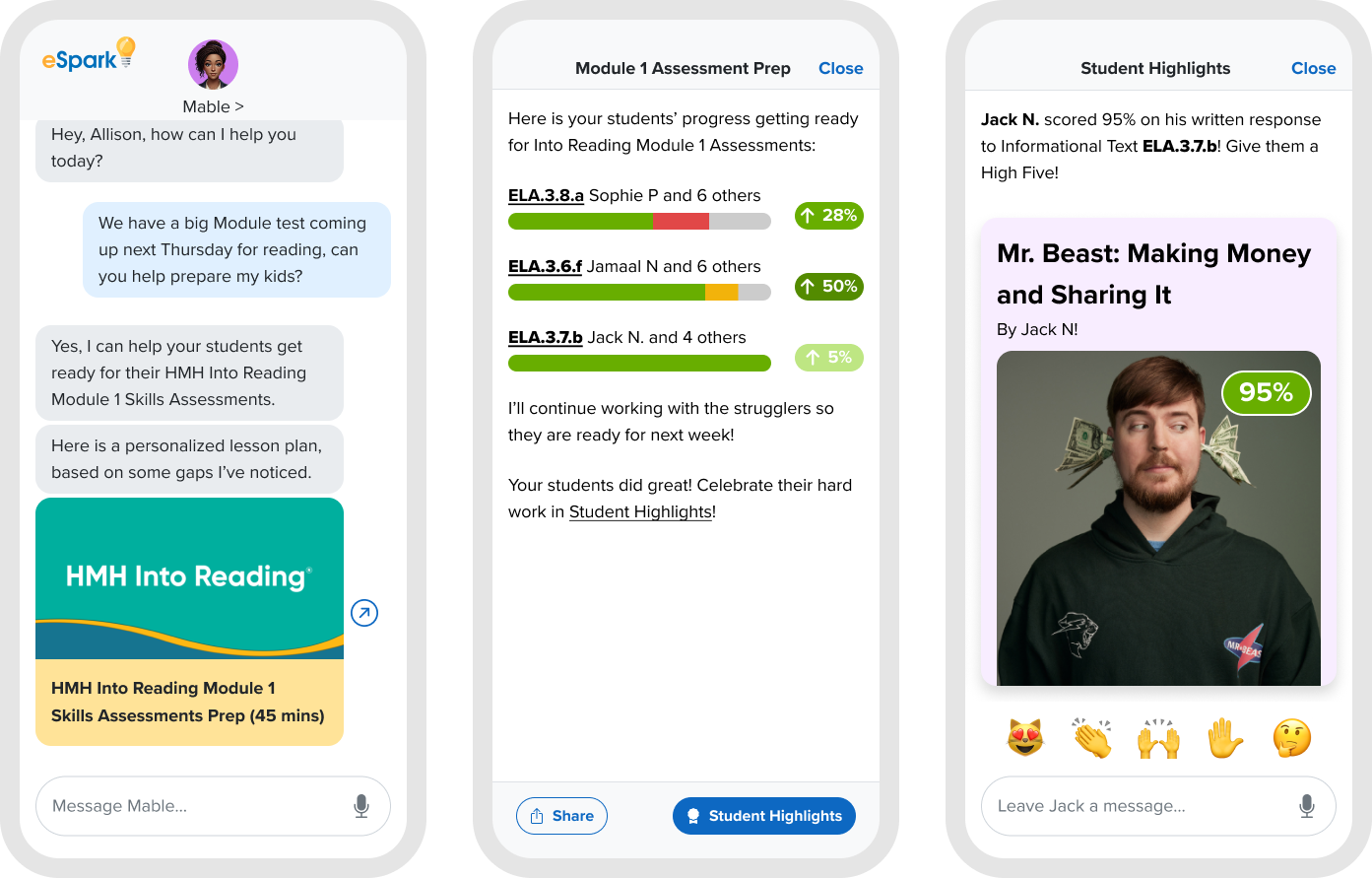
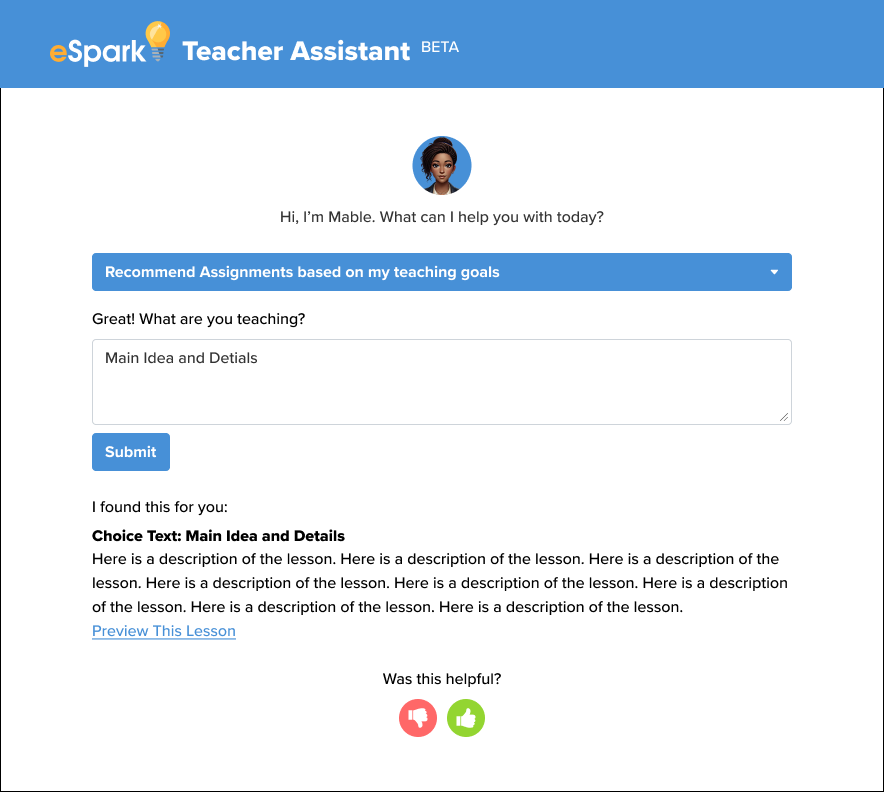
Learning at scale with a working prototype
In interviews teachers struggled to give us a clear signal of what they wanted from an “AI Assistant”.
To learn what was most valuable we built and shipped a simple system that would allow us to collect data directly from teachers.
A teacher enters their request in a text field, and the Assistant retrieves matching eSpark Assignments and other content relevant to the teacher query.
We learned from this that teachers, more than anything, wanted lesson recommendations that matched their Core Curriculum lesson.
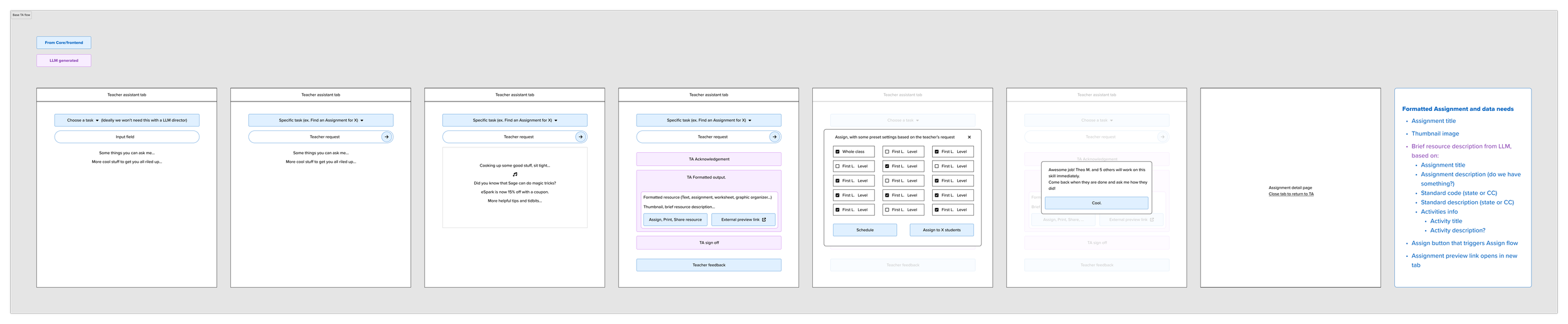
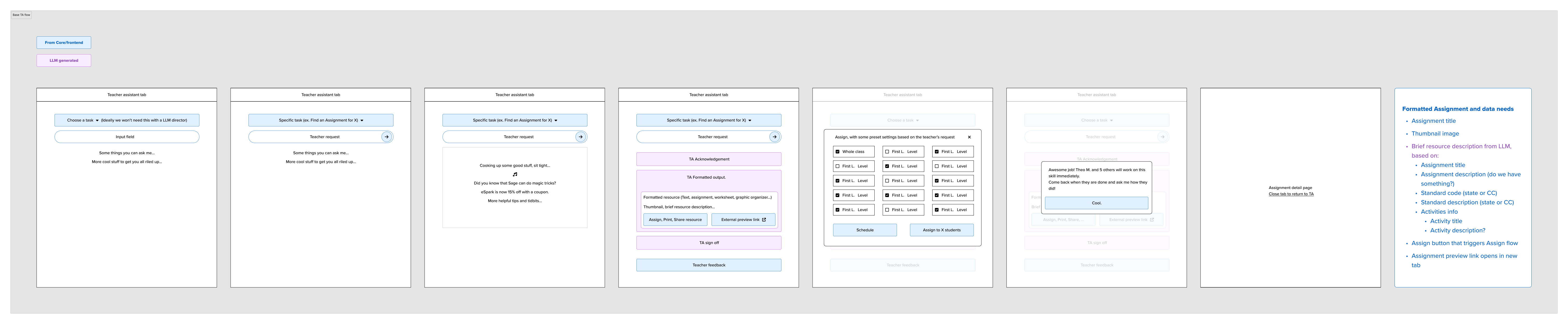
Wireframes for the live prototype. Click to zoom in.
Ensuring high quality LLM-outputs at scale
It was critical that data retrieved and presented by the LLM, was relevant, accurate, personalized, and easy to understand.
I took ownership of prompt engineering, and I collaborated closely with engineers to build the data retrieval and output process.
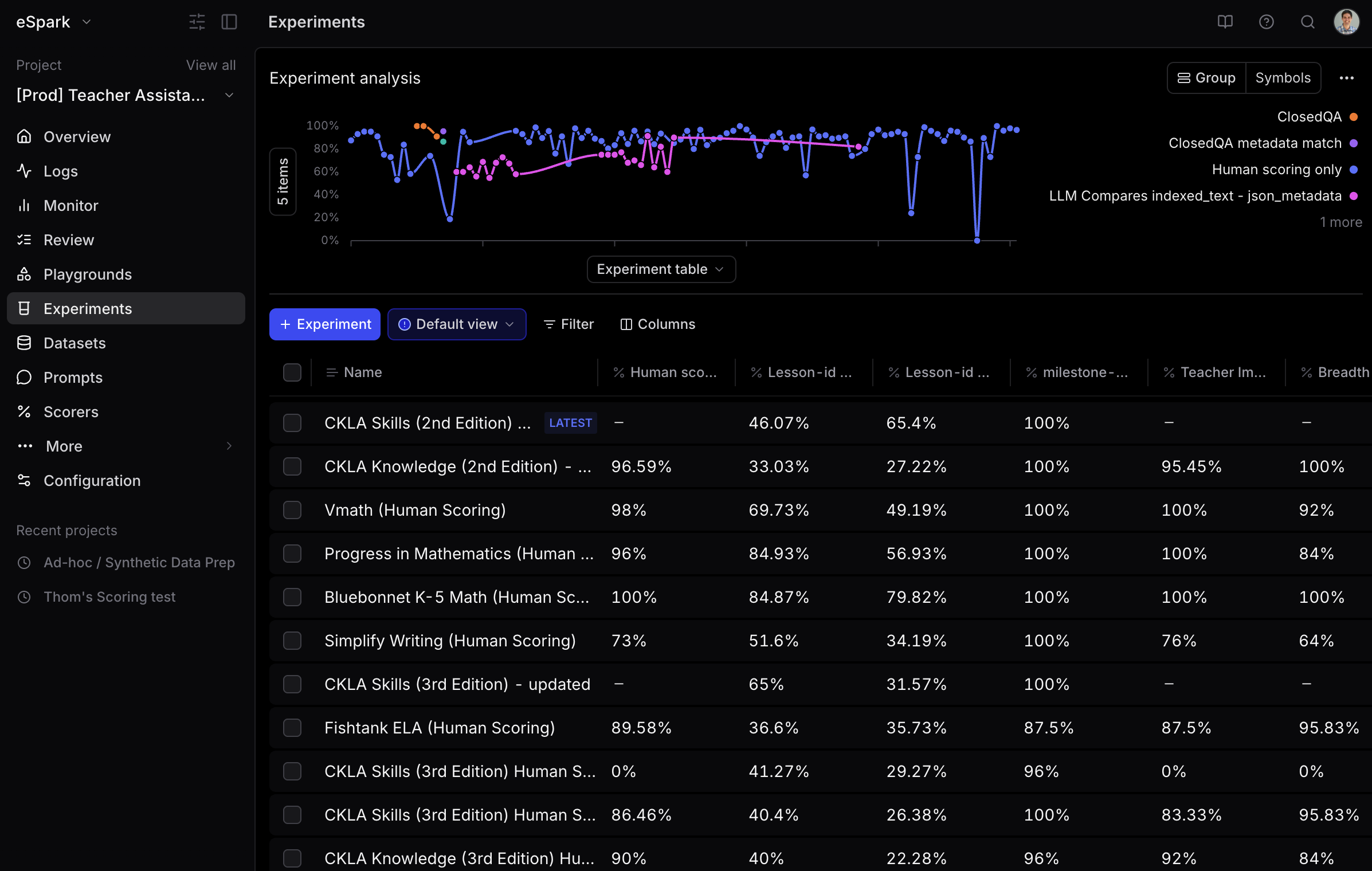
We created a quantitative evaluation system that allowed us to iterate on prompts until we had consistently high quality output.
Designing a trustworthy AI Teacher Assistant
Getting teacher buy-in early
Once we realized we landed on a powerful new use case we wanted to make sure all teachers could see the value early and add their curricula to eSpark.
We added a Curriculum Selection step to the onboarding flow. This immediately signaled to teachers that eSpark was now aligned to their unique core learning objectives, and it brought teachers directly into their personalized dashboard.
Taking the guesswork out
One early finding from testing our prototype was that teachers struggled with the open text field. Teachers did not know what to type, or what outputs to expect.
Replacing the open text field with a simple dropdown to choose this week’s lesson from your Curriculum, took all the guess work out of the interaction, and saved teachers valuable time.
From recommendations to instructional support
To further understand what kinds of support and guidance teachers might want for their Curriculum lesson, each recommendation has 3 LLM-generated follow-up suggestions.
Early findings suggests teachers want more ways to differentiate student support, but further structured experimentation is needed.
Teacher queries as product signal
General Open Text queries are moved to a separate tab to track what other questions teachers ask. After receiving a lot of support queries early on, I adjusted the prompt to be able to answer these directly.
Empowering the content team to scale up
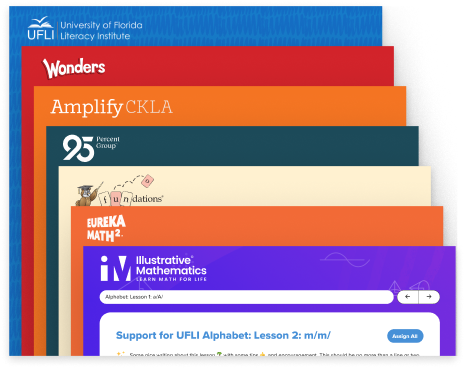
To reach most teachers, it was critical that we added new curricula quickly. We designed and built a self-serve system that allowed the content team to add 12 new curricula per week, reaching over 150 Curricula 3 months after launch.
Shifting teacher behavior one prompt at a time.
+300%
Assignments MAU
+100%
Assignment Conversion
150+
Aligned Curricula
For 10 years eSpark’s Assignment MAU hovered around 15%. Nova raised this to 60%.
More Curriculum-aligned Assignments leads to higher standards mastery, more intentional usage of the program, and more actionable data for teachers.
“This is awesome!! I never used to use espark for math but now that you have my Into Math lessons embedded I will utilize it daily! SO great!!”
Reflections
AI-powered features should fit in a user’s existing workflow and mental model, even if that means replacing a conversational interface with a simple dropdown.
AI-powered features should be rooted in concrete user needs.
Learn more about how we built Nova with a small team in a matter of months in Teresa Torres’ podcast Just Now Possible.